Recognition and delivery are two separate checks
BIGO's official recharge guide describes both a login flow and a Direct ID flow. Its security guidance explains that the Direct ID route can credit an account without the recipient's password or verification code. That is a description of BIGO's own channel, not certification of every website that asks for an ID.
Treat the display name as a visual clue and the BIGO ID as the destination data. A person you know can change how their profile appears; a screenshot may also be old or belong to another account they use. Copying a name from a live room does not answer which account should receive a recharge.
Start with the current account profile. Read the identifier with its label, then compare the complete value with the checkout entry. Preserve any characters shown; do not change a value merely because another guide says IDs have a fixed length.
| Item | What it helps you check | What it does not prove |
|---|---|---|
| BIGO ID | The intended recharge destination | That a merchant is authorised |
| Display name or avatar | Whether a preview looks familiar | Ownership or a unique destination |
| Password or login code | Access to an account | A necessary part of BIGO's Direct ID recipient check |
Section references: BIGO LIVE official recharge guide — Direct ID and login modes
For your own account: work from the app outward
Open the official BIGO LIVE app and confirm you are using the account you want to recharge. Copy the account's BIGO ID from the current profile information. If you use multiple accounts, write a short private label beside the identifier so you do not paste the right ID for the wrong purpose.
Return to the merchant's form and compare the value character by character. If a recipient preview appears, read it as a second check. A preview can help detect a mistaken entry, but it should not be described as account ownership verification.
If the checkout provides no preview, the absence of a name check is not permission to guess. Confirm the complete identifier again and make sure the selected product explicitly delivers Diamonds to that account. Do not infer the delivery method from a decorative BIGO logo.
For a friend: ask for the destination, not their login
Have the recipient provide their current BIGO ID from the account they want to use. A fresh profile screenshot with the identifier label visible can reduce ambiguity; they can hide unrelated personal details. You do not need access to their inbox, social login or device to compare destination data.
Repeat the identifier back to them before paying, especially if they maintain separate personal and broadcast accounts. Say what you intend to send: a Diamond recharge of the named quantity, rather than a vague promise to “send a gift”. Recharging a balance and using a gift inside the app are different actions.
Keep the recipient confirmation with the order record. If the payment is yours and the account is your friend's, the payer and recipient names can differ without that fact explaining a delivery failure. Support needs the intended BIGO ID, not an assumption that the bank-account holder owns the app account.
Section references: BIGO LIVE official security guidance — identifiers and credentials
Stop on a mismatch before it becomes an order
If a preview shows an unfamiliar account, return to the original identifier. Look for an incomplete paste, a copied space or an old account reference. Do not keep changing digits until the page displays a plausible name.
If the ID is rejected, preserve the error text and check the product's requirements. An error does not prove that the account is invalid everywhere; the merchant may have specific coverage or a temporary lookup problem. Confirm compatibility through the merchant's current support route rather than selecting another region to bypass the error.
Currency is another separate check. A MYR or USD price answers how much you will be charged. It does not prove that the selected package can reach the recipient's account. The offer needs to make its supported account conditions clear.
- Identifier differs from the recipient's current account: do not pay.
- Preview differs from the expected recipient: resolve the mismatch.
- Product unit is unclear: confirm it is the Diamond quantity you want.
- Account coverage is not stated: get that fact from the offer or use an official channel.
Make the final review easy to repeat
Read the destination, Diamond quantity, payment currency and total from the last order summary. Save that summary before completing payment. It connects your intention to the exact product the merchant accepted.
The Veegame BIGO page provides the current offer to inspect. This guide does not establish Veegame's authorization or every supported BIGO region. BIGO's own recharge and security pages remain the primary references for its official delivery flow.
Afterward, keep the order reference. If Diamonds are missing, use a transaction record and a timestamped balance observation. The companion support guide explains how to assemble those records without buying again.
If your goal is supporting a broadcaster, the Diamonds and Beans gift-planning guide helps distinguish topping up a recipient's account from sending a gift with your own Diamonds.
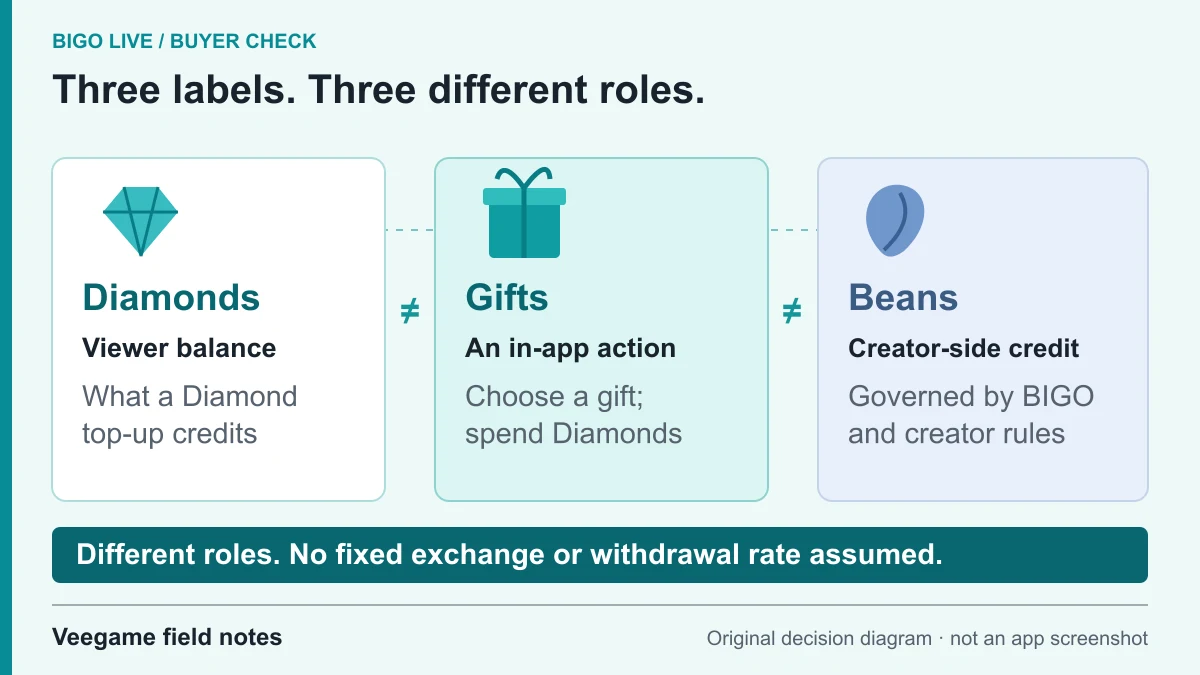
Original Veegame field notes · Primary reference. This is a decision diagram, not an app screenshot.
Sources and scope
BIGO’s published recharge guide supports the distinction between Direct ID and account-login modes. The checks here apply that distinction to Veegame’s ID form; they do not claim that this form performs a nickname lookup.
- BIGO LIVE official recharge guide — Direct ID and login modes
- BIGO LIVE official security guidance — identifiers and credentials
Editorial sourcing and correction-contact information are explained in our editorial approach.