One product label can conceal two expectations
Mango Live's developer listings describe gifts and VIP features, while the App Store names Diamond in-app purchases. The description mentions recharging and sending gifts as well as a VIP subscription. It does not establish that every Diamond package automatically grants every VIP benefit.
Read the offer in two parts: the balance it adds and the benefits it explicitly includes. A picture of a medal, car or profile decoration is not a contractual list of inclusions. The package wording should tell you what is delivered, to which account and under which conditions.
If the listing only states a Diamond amount, evaluate that amount. Do not value a separate privilege as part of the purchase unless the offer clearly names it and explains how eligibility is determined.
Section references: Mango Live developer listing on Google Play — gifts and VIP · Mango Live developer listing on the App Store — Diamond products
Make an inclusion sheet before comparing packages
Use one row per promised item. This is particularly helpful if you are comparing an in-app offer with a merchant's recharge: the two may be different products, even when their final prices are close.
The table below does not claim any current VIP threshold, automatic upgrade or Veegame benefit. It is a way to read whatever the specific offer actually promises.
| Part of the offer | Detail that should be explicit | Common ambiguity to resolve |
|---|---|---|
| Diamonds | Confirmed quantity, any bonus conditions and destination | Whether the largest number is unconditional |
| VIP benefit | Named privilege and how it is granted | Whether an illustration is merely promotional |
| Duration | Start, end and any claim requirements | Whether “monthly” defines access or a billing interval |
| Subscription terms | Renewal behavior and cancellation route, if applicable | Whether the item is a one-time purchase or recurring service |
| Eligibility | Account, region and event conditions | Whether a benefit applies to this recipient |
Start from the feature you actually want
If you want to send gifts, inspect the current gift costs and usable Diamond balance. A package that fits that spending plan may meet your goal without any extra privilege. Avoid choosing a larger quantity solely because a decorative banner suggests status.
If you want a particular VIP feature, find its current official in-app explanation. Record the feature name and the condition that unlocks it. Do not derive eligibility from a host's experience, a historical screenshot or a benefit offered to a different region.
If your goal includes both, write them separately. The Diamonds may arrive while a benefit remains conditional, scheduled or absent from the offer. A single “success” label cannot explain the fulfillment of two different promises unless the order description does so.
Read time and renewal in plain terms
A time-limited privilege should have a readable start and end. Determine whether the period starts at purchase, activation or another event named in the offer. Do not assume a calendar-month label means thirty usable days from the date you pay.
A subscription also needs a clear renewal answer. Check whether another charge is scheduled, who handles cancellation and where the current terms can be read. A one-time Diamond recharge should not be treated as a recurring subscription merely because it appears beside VIP promotion.
If the terms are missing, you cannot calculate the benefit's value reliably. An explicit quantity you can use and an undefined privilege are not comparable line items. Resolve the privilege terms before spending for it.
Compare like-for-like inclusions
Compare the same Diamond amount, account conditions and benefit period before comparing prices. If one offer contains a documented extra and another does not, record that difference rather than declaring one universally cheaper.
Use the final charge, including disclosed fees, in the currency that will actually be billed. Keep bonus and privilege eligibility visible beside the price. A currency conversion changes the money figure; it does not convert a Diamond-only package into a VIP membership.
The Veegame Mango Live page is the reference for its current package offer. The public app description cannot establish that a Veegame pack grants a particular VIP level, an event benefit or an automatic renewal. Only treat clearly documented inclusions as part of the purchase.
Check each promised item after purchase
For a Diamond order, inspect the correct account's labeled balance and the merchant delivery record. For a documented benefit, inspect the relevant feature and its period separately. Save the accepted offer so support can compare delivery with what was promised.
If the Diamonds appear but a badge does not, describe that distinction. Report the named benefit, the eligibility statement you relied on and the account observation time. “My purchase failed” is less precise than identifying which inclusion is unresolved.
This is a reading and verification guide, not a firsthand VIP experiment. Current thresholds, regional promotions and package-specific benefits need their own evidence before they can be stated as available.
For more than one Mango Live account, keep the expected Diamond or VIP item on the correct UID's row using the multiple-account recharge worksheet. A familiar device or profile photo does not replace that match.
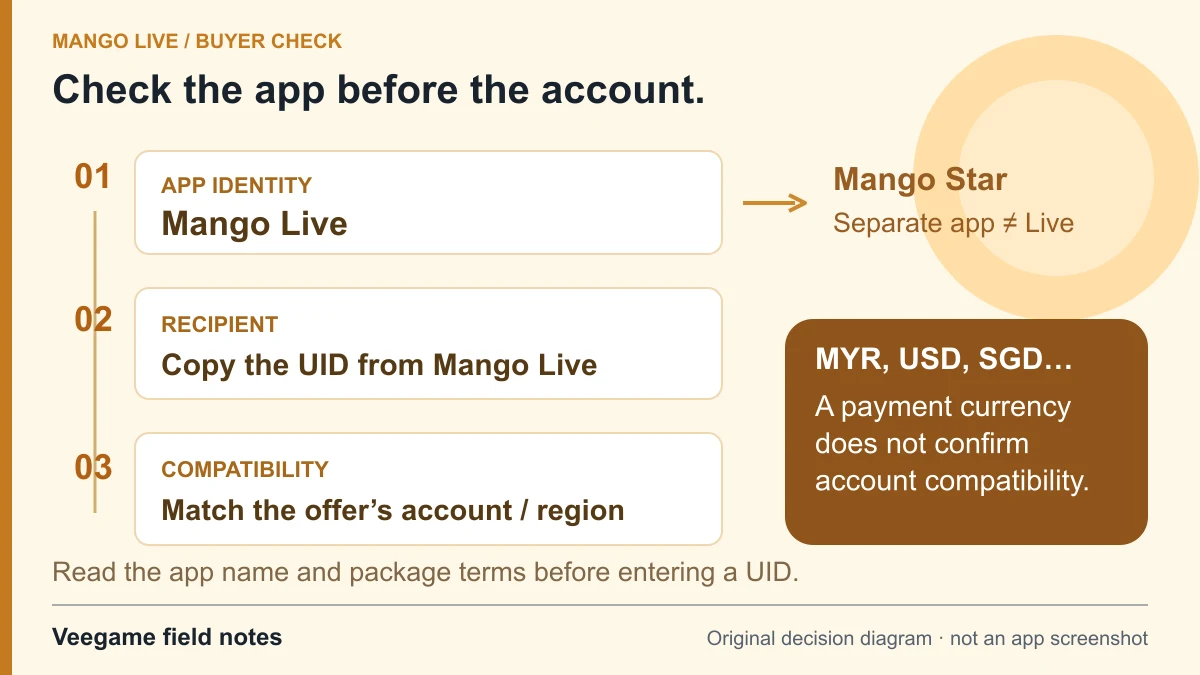
Original Veegame field notes · Primary reference. This is a decision diagram, not an app screenshot.
Sources and scope
The developer listing describes Diamond purchases and VIP features. It does not show that every Diamond top-up includes VIP. The inclusion sheet is a comparison method, not a merchant benefit guarantee.
- Mango Live developer listing on Google Play — gifts and VIP
- Mango Live developer listing on the App Store — Diamond products
Editorial sourcing and correction-contact information are explained in our editorial approach.