Compare Coins with Coins before comparing prices
Poppo's official website provides a Get Coins entry and describes virtual gifts. That identifies the purchase category; it does not make Coins interchangeable with Points, creator rewards or cash. Start a comparison with the exact product name and coin quantity on each offer.
The Veegame pack selector includes individually labeled quantities such as 10,000, 21,000 and 50,000 Coins. Those labels describe this catalog. They are not a universal Poppo tariff or a promise that the same denominations appear in every official app store. An account-specific event extra should only enter your calculation when its conditions are explicit.
If a listing includes another unit, use the Coins versus Points guide first. Once the unit is settled, write down your planned spending in Coins and the maximum amount you are prepared to pay in real money. The two limits do different jobs: one describes the activity, and the other controls the charge.
Use the final charge for the unit-cost calculation
For two otherwise comparable offers, calculate cost per 10,000 Coins as final payable amount divided by delivered Coins, multiplied by 10,000. Use one settlement currency throughout. Mixing a USD quote with a MYR quote without an explicit conversion produces a meaningless ranking.
The product price is only the starting point. At Veegame, available payment methods and their fees are checked for the selected pack and currency during checkout. A payment method with a fixed or minimum fee can have a much larger effect on a small order than on a larger order.
The examples below use invented USD amounts to illustrate the arithmetic. They are not live offers, an official Poppo exchange rate or a claim that these fees are available. Replace both the pack price and the fee with the amounts shown in your own final order summary.
| Example | Coins | Pack + fee | Cost per 10,000 Coins |
|---|---|---|---|
| Small pack | 10,000 | USD 1.35 + USD 0.20 = USD 1.55 | USD 1.55 |
| Larger pack | 50,000 | USD 6.75 + USD 0.20 = USD 6.95 | USD 1.39 |
| Five separate small orders | 50,000 | 5 × USD 1.55 = USD 7.75 | USD 1.55 |
Quantity in one order is different from separate orders
Where the current product form supports quantity, selecting several units creates one order for that selection. Placing several separate orders creates several payment calculations and several order references. Do not assume that a fixed fee is charged once across unrelated orders.
Nor should you assume the single larger order is cheaper. Percentage fees, minimum charges, available denominations and payment limits can change the result. Compare the actual final totals for the choices that fit your plan. Do not bypass a quantity or payment limit by splitting transactions.
An order's quantity also repeats its destination. It does not distribute the Coins among several Poppo IDs. If the purchase is intended for a different recipient, stop and review that recipient before starting another order. The ability to enter a large quantity is not evidence that the recipient was validated.
A cheaper unit price can still cost you more
Suppose you need 18,000 additional Coins for a plan you have already priced in the current app. A 21,000-Coin pack leaves 3,000 beyond that plan; a 50,000-Coin pack leaves 32,000. Even if the larger pack has a lower cost per 10,000 Coins, its total charge may be a poor fit for one session.
Write the leftover beside the final charge rather than hiding it inside a savings percentage. Existing Coins should be subtracted from the need first. If you already hold 4,000 usable Coins toward a 22,000-Coin plan, the shortfall is 18,000, not 22,000.
Avoid inventing future gifts merely to make an oversized purchase look efficient. Keep optional spending optional. A comparison should help you spend the amount you intended, including the option to buy nothing if your existing balance is enough.
- Planned Coins minus current usable Coins equals the shortfall.
- Delivered Coins minus the shortfall equals the new leftover.
- Final payable amount, rather than the advertised subtotal, is the money limit check.
Save the comparison that belongs to this order
Live prices, exchange rates and payment availability can change. Save the selected pack, quantity, recipient, final currency and charge with the order reference. An old screenshot of a different payment option is weak evidence of the charge you approved today.
If a checkout refresh changes the quote, review the updated amount before confirming. After payment, use the Poppo receipt checklist to keep payment evidence separate from the merchant's delivery state and the balance visible in the app. That record is useful whether the order goes smoothly or needs an investigation.
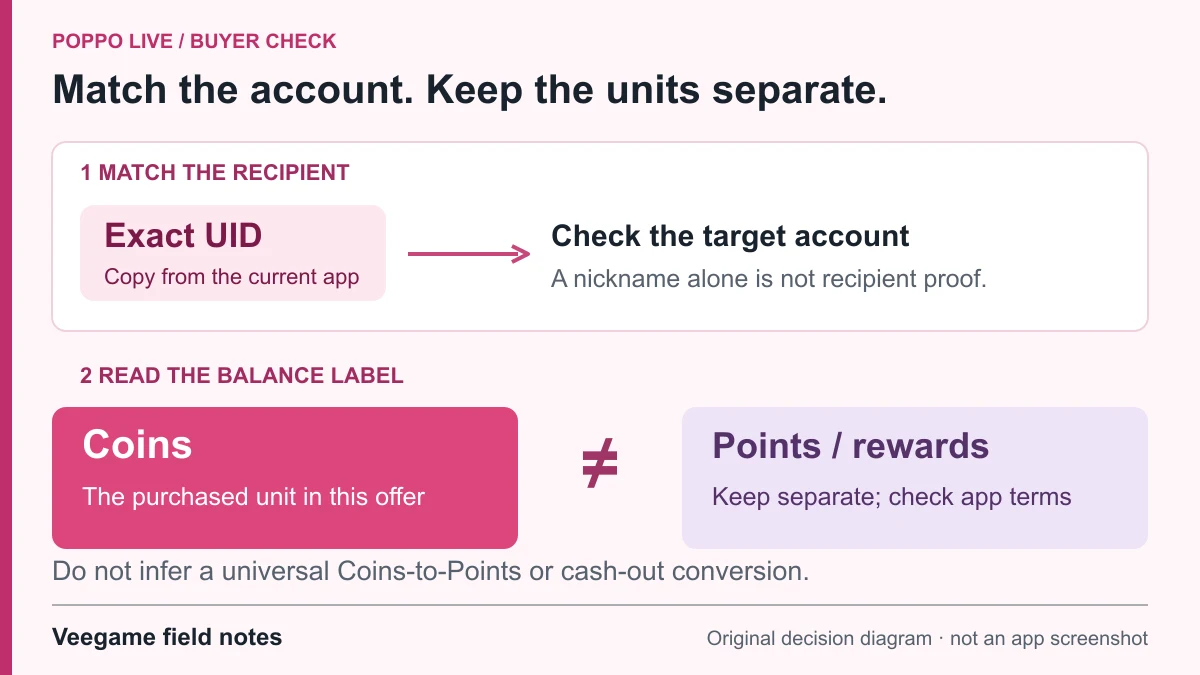
Original Veegame field notes · Primary reference. This is a decision diagram, not an app screenshot.
Sources and scope
Pack quantities come from Veegame’s listed pack labels. Unit-cost and leftover comparisons are original arithmetic with labelled hypothetical charges; current prices and payment fees are available in the purchase flow.
Editorial sourcing and correction-contact information are explained in our editorial approach.