Poppo Live Coins
Account top-up · Poppo User ID
Choose your Coins
01THE RECIPIENT COMES FIRST
Check the ID.
Not just the name.
Use the User ID displayed on the intended Poppo account. A familiar nickname or profile picture is a useful clue, but it is not the recharge destination. If you are buying for someone else, ask them to confirm their ID before you enter it.
Coins, Points and the recipient checkThis purchase adds the selected Coins to the entered account. It is not a cash product or a promise of creator earnings. Visit Poppo’s official site for platform information.
02AFTER THE CHECKOUT
Keep payment and delivery separate.
A completed payment is one step. Use your order record to check whether the coin top-up has also been delivered. If the balance does not appear, keep the original order and check the intended account before making another purchase.
- ReviewConfirm the recipient, pack and full payment total.
- PayContinue to the selected payment provider.
- TrackCheck the order record for payment and coin delivery status.
Your visual field guide.
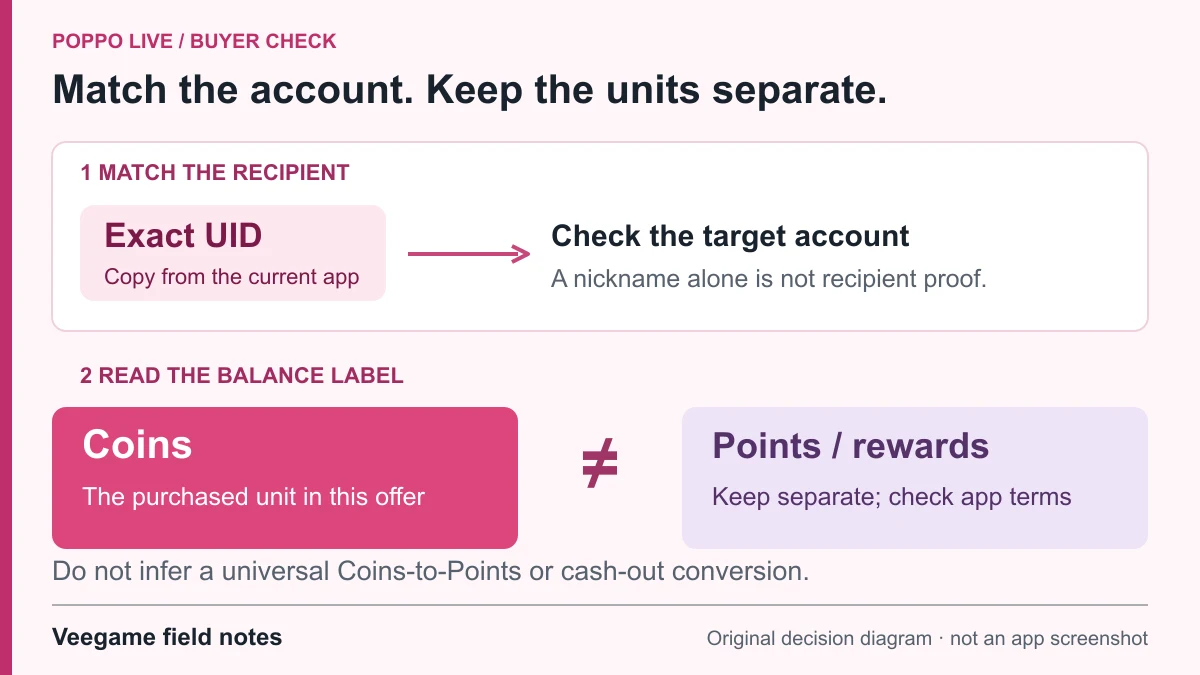
Original Veegame field notes · Primary reference. This is a decision diagram, not an app screenshot.
Poppo OBS Set-up Guidance 🎥✨
- The publisher identifies this video as its OBS setup guidance for creators.
- Useful supplementary context for viewers who want to understand how creators broadcast on Poppo.
This OBS tutorial provides broadcast setup context for Poppo creators. Coin purchases, reward rates and the Veegame checkout are separate topics.
Watch on YouTube ↗ · Publisher referencePlayer availability may vary by region. If the player is unavailable, use the YouTube link.
Useful answers.
Can I buy Coins for someone else?
The form uses the recipient’s Poppo User ID. Confirm that ID with them first. A successful payment cannot correct a destination you entered incorrectly.
Will you check my Poppo nickname?
This form does not look up a nickname or verify account ownership. You remain responsible for checking the entered ID against the intended account.
Why does checkout show a payment fee?
Payment methods have different fees. The product amount is shown here; checkout displays the selected method’s fee and the total together before the order is submitted.
What should I save if Coins are missing?
Keep the order reference, payment record, recipient ID and a balance screenshot with a timestamp. Contact support using the original order instead of immediately purchasing again.